TiviMate for PC or Mac? Here’s the Best Alternative (2026)

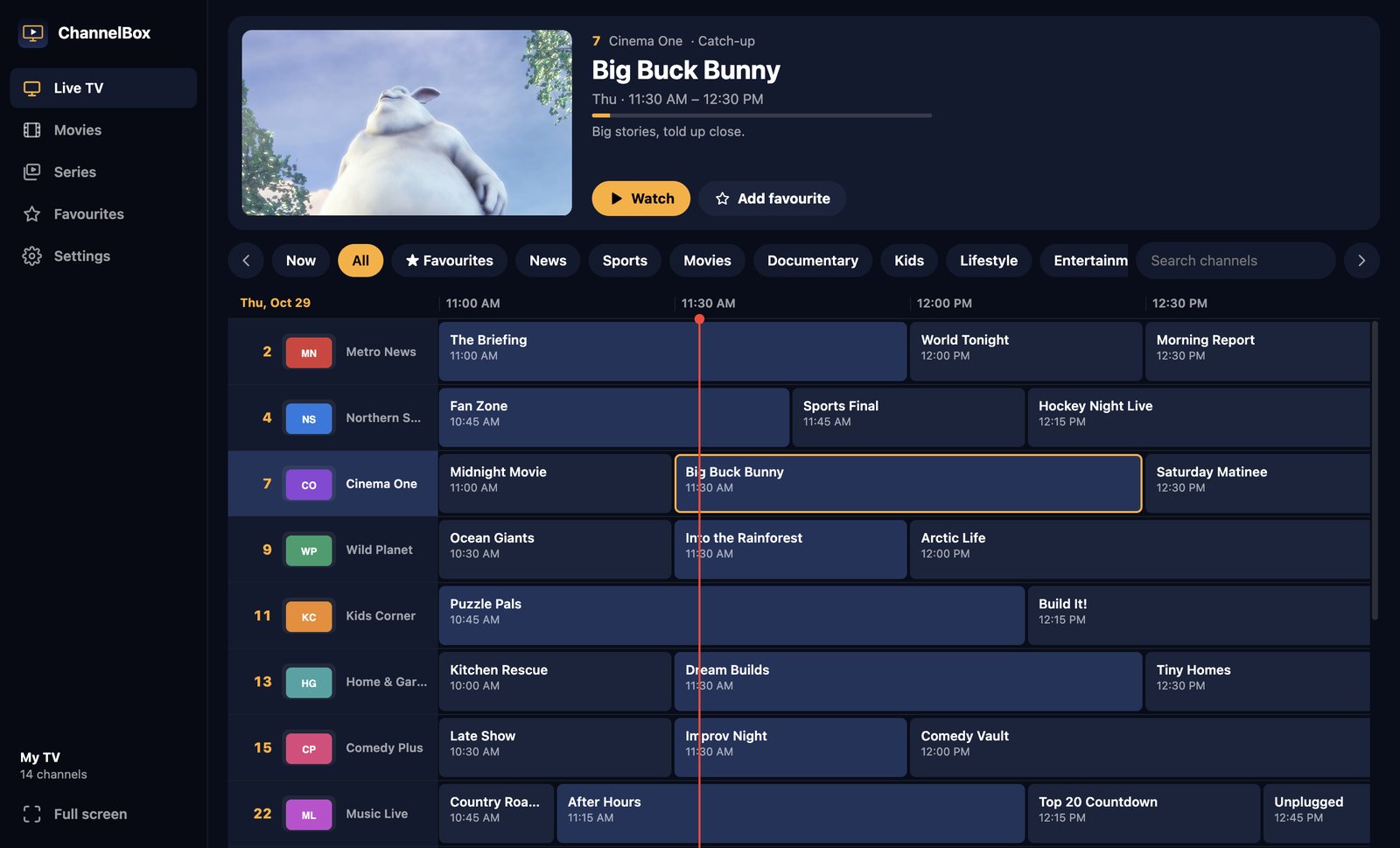
If you’ve used TiviMate on an Android TV box or a Fire Stick, you know why people love it. It turns an IPTV subscription into something that feels like cable: a real grid guide, channel numbers, and a banner that tells you what’s on.
Then you sit down at your computer and search for “TiviMate for PC”… and find out there isn’t one.
Full disclosure: I’m Jerry, and I make ChannelBox. I’ve tried to be fair to the other players, and I’ll tell you when one of them is the better pick.
Is there a TiviMate app for Windows or Mac?
No. TiviMate is an Android app, built for Android TV and a remote control. There’s no official Windows version and no Mac version. The pages you’ll find offering “TiviMate for PC” are Android emulators (BlueStacks, MEmu, LDPlayer and similar) that run the Android app inside a pretend phone on your computer.
Option 1: Run TiviMate in an Android emulator
It works, sort of. Here’s what to expect:
- It’s heavy. An emulator runs a whole copy of Android in the background. Older laptops struggle, and fans spin up.
- It’s built for a remote. TiviMate expects arrow keys and an OK button, so using it with a mouse feels awkward.
- Premium can be fiddly. Unlocking TiviMate Premium usually needs Google Play or the TiviMate Companion app inside the emulator.
- Mac is harder. Android emulators on Apple-chip Macs are limited, so many Mac owners can’t do this well at all.
If you already own TiviMate Premium and only watch on your computer now and then, an emulator is a reasonable free experiment.
Option 2: Use a desktop IPTV player built like TiviMate
This is why I built ChannelBox. I wanted the TiviMate feeling on a computer, made for a computer: mouse, keyboard and a big screen, without an emulator in the middle.

What you get:
- A real cable-style guide. Channel numbers and logos down the side, times across the top, a red line for now, and a live picture of the channel you’re on.
- Type a channel number. Press 2 then 4 and you’re on channel 24, just like a remote. Page Up and Page Down flip channels.
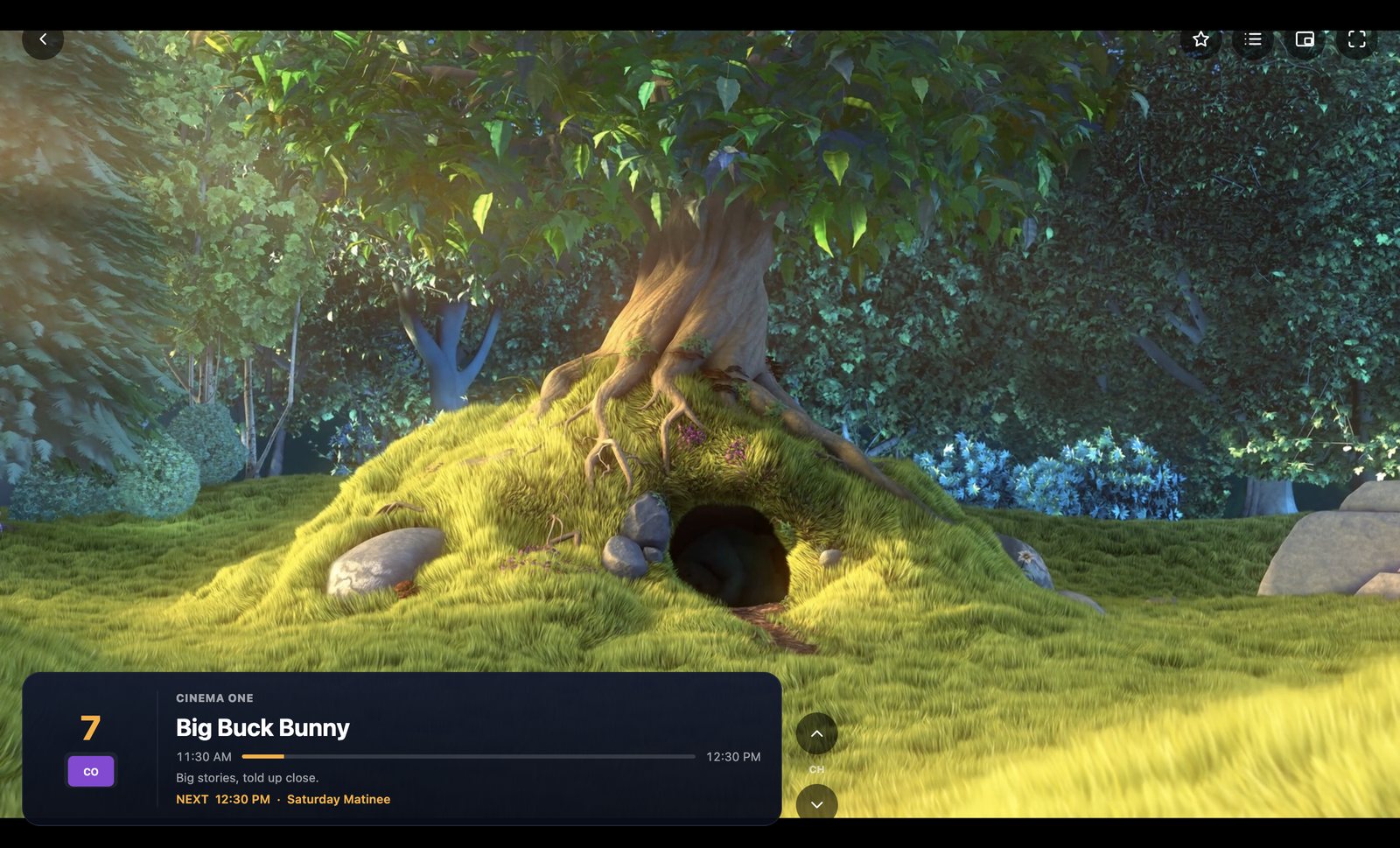
- A cable info banner showing the show, a progress bar, and what’s on next.
- A 15-second cushion that rides out your provider’s little hiccups so the picture doesn’t freeze.
- The TV guide fills itself in from your Xtream Codes login or playlist and refreshes every 12 hours.
- Catch-up TV, movies and series, where your provider offers them.
TiviMate vs ChannelBox at a glance
| Feature | TiviMate | ChannelBox |
|---|---|---|
| Runs on Windows and Mac | Only through an Android emulator | Yes, natively |
| Cable-style grid guide | Yes | Yes |
| Xtream Codes and M3U | Yes | Yes |
| Made for | TV remote | Mouse and keyboard (number keys work like a remote) |
| Anti-freeze buffer | Adjustable | 15 seconds, automatic |
| Dolby sound on a computer | Depends on the emulator | Converted automatically so it plays |
| Price | Free, with a paid Premium | $36 USD once |
Which should you pick?
If you watch on an Android TV box, keep TiviMate. It’s excellent there, and I’m not going to pretend otherwise.
If you want that same experience on your Windows PC or Mac, a native desktop player is smoother than an emulator. That’s exactly the gap ChannelBox fills.
Try ChannelBox: a cable-style TV guide, a 15-second anti-freeze cushion and Dolby sound that works, for Windows and Mac. $36 USD once, no subscription →
Setting it up takes about a minute
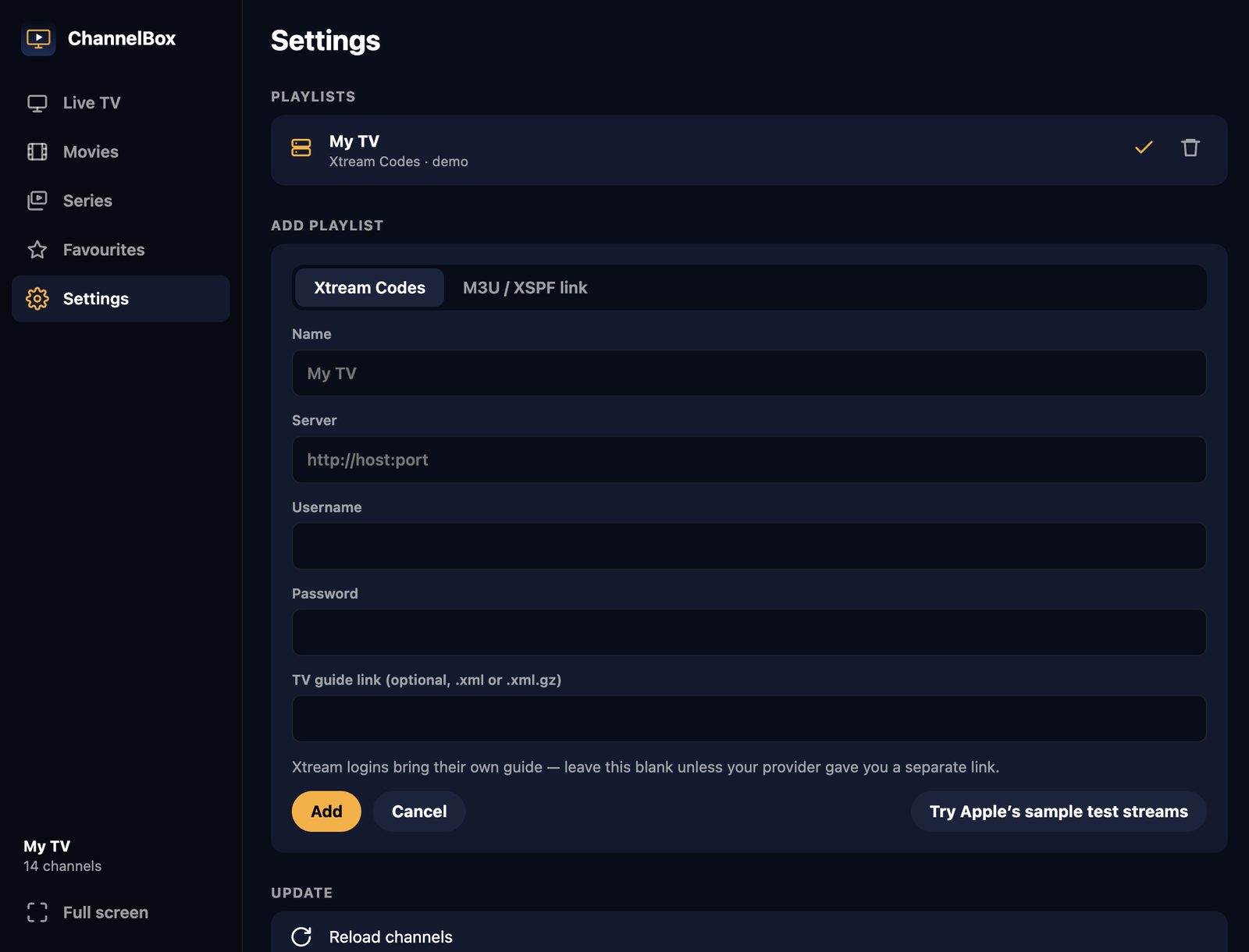
Open your provider’s welcome email. You’ll find either an Xtream Codes login (a server address, username and password) or an M3U playlist link. Paste it into ChannelBox and your channels, logos and TV guide come in on their own.
Frequently asked questions
Can I get TiviMate on Windows 10 or 11?
Is there TiviMate for Mac?
Will my TiviMate playlist work in ChannelBox?
Does ChannelBox include channels?
Need a website that actually brings in work?
I build fast, modern sites for trades and local businesses across Kitchener-Waterloo.
Get in touch